✦ LINE member card
How to use your Sadai Haus member card
Join free in our LINE chat, then book visits, collect points and claim perks from one card — this guide walks through each step with real screenshots.
What the card gives you
- 1 point for every ฿100 · points last 365 days · redeem rewards at the counter
- Regular after 5 visits · VIP after 15
- 15% off in your birthday month — just ask us
- Book from the card and Mali confirms your slot in the LINE chat
Open the card
- Add us on LINE: @sadaihaus
- Tap MEMBER in the menu under the chat
- The first time you'll see the sign-up form — under a minute
01Join as a member
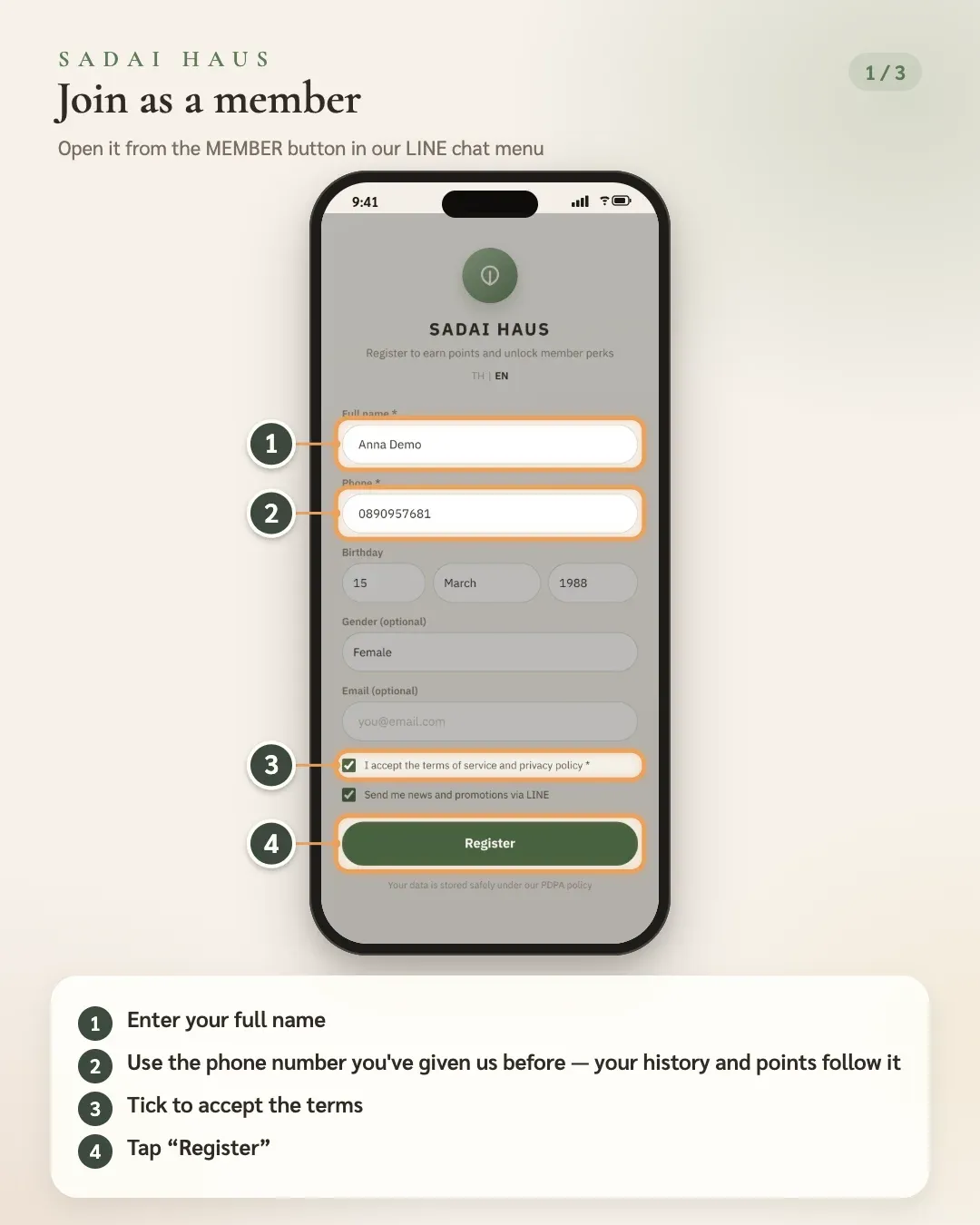
Open it from the MEMBER button in our LINE chat menu
- 1. Enter your full name
- 2. Use the phone number you've given us before — your history and points follow it
- 3. Tick to accept the terms
- 4. Tap “Register”
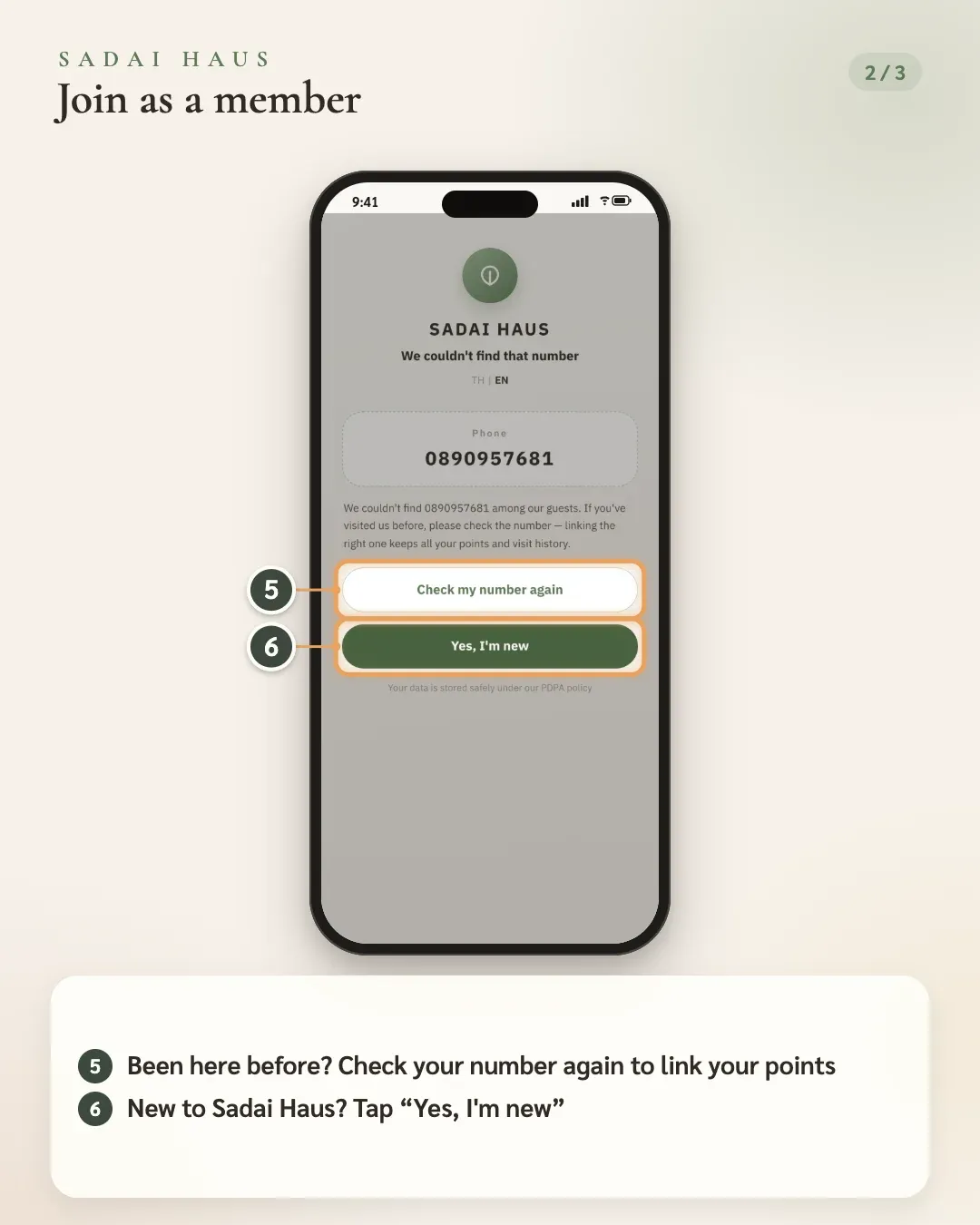
- 5. Been here before? Check your number again to link your points
- 6. New to Sadai Haus? Tap “Yes, I'm new”
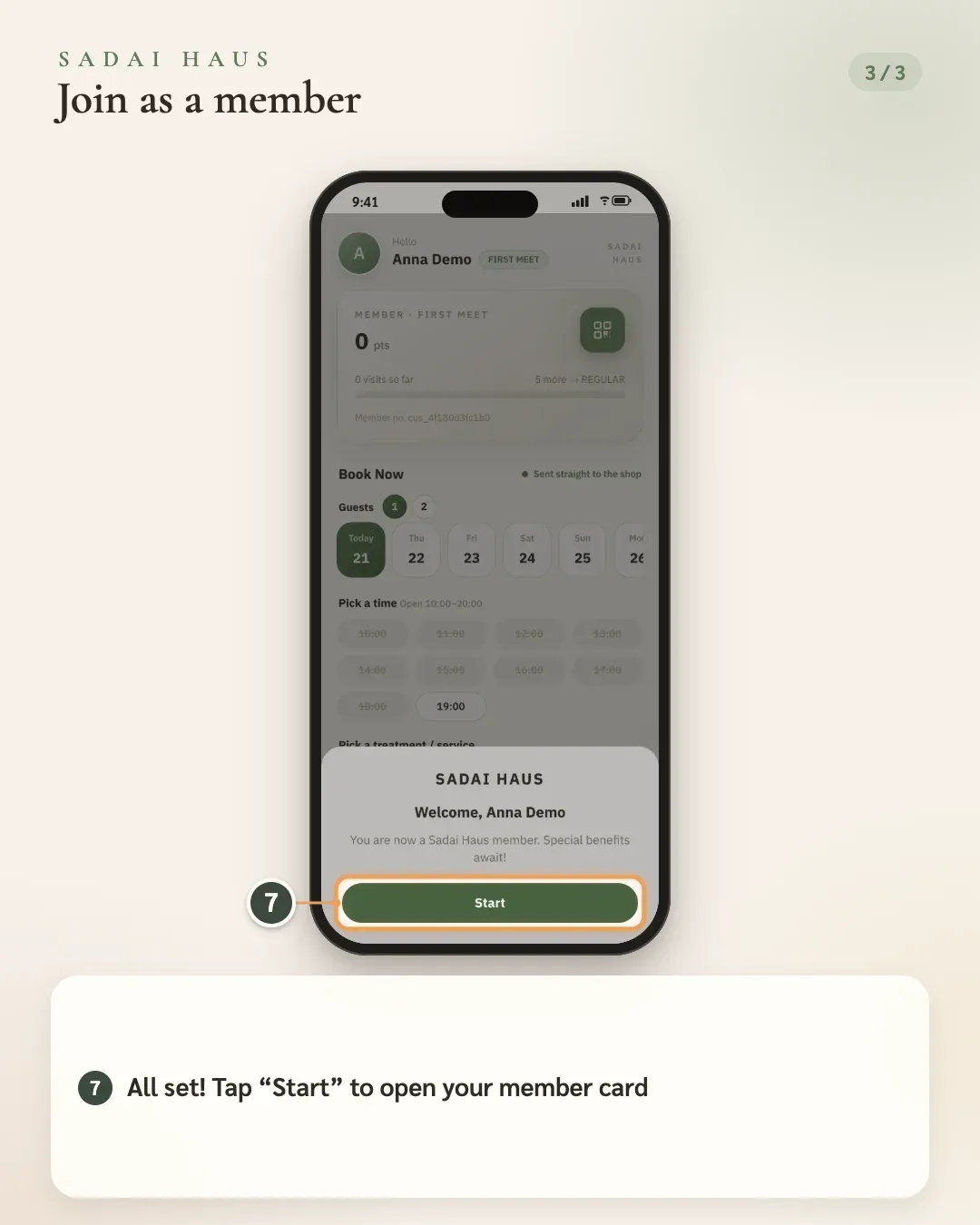
- 7. All set! Tap “Start” to open your member card
02Book a visit
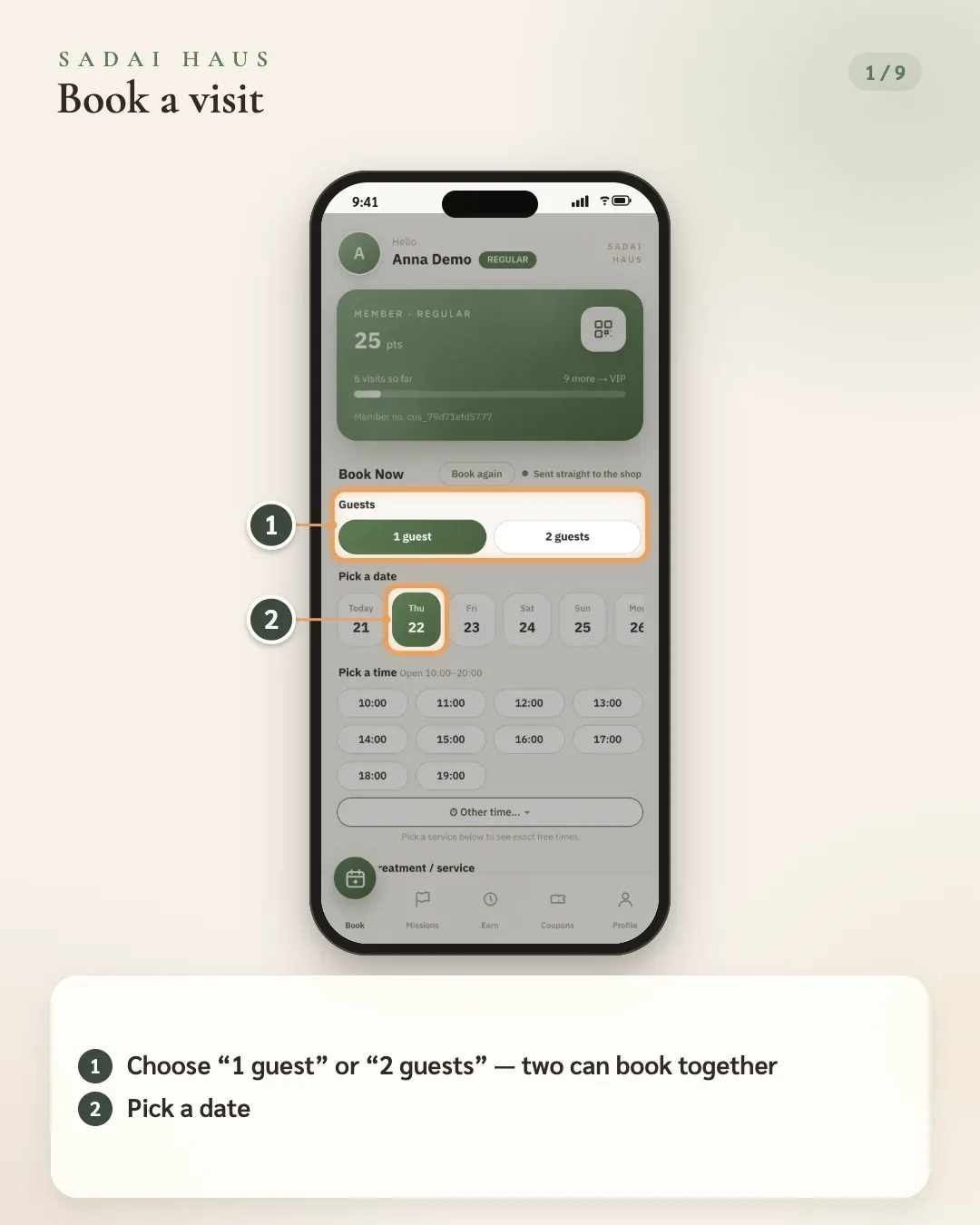
- 1. Choose “1 guest” or “2 guests” — two can book together
- 2. Pick a date
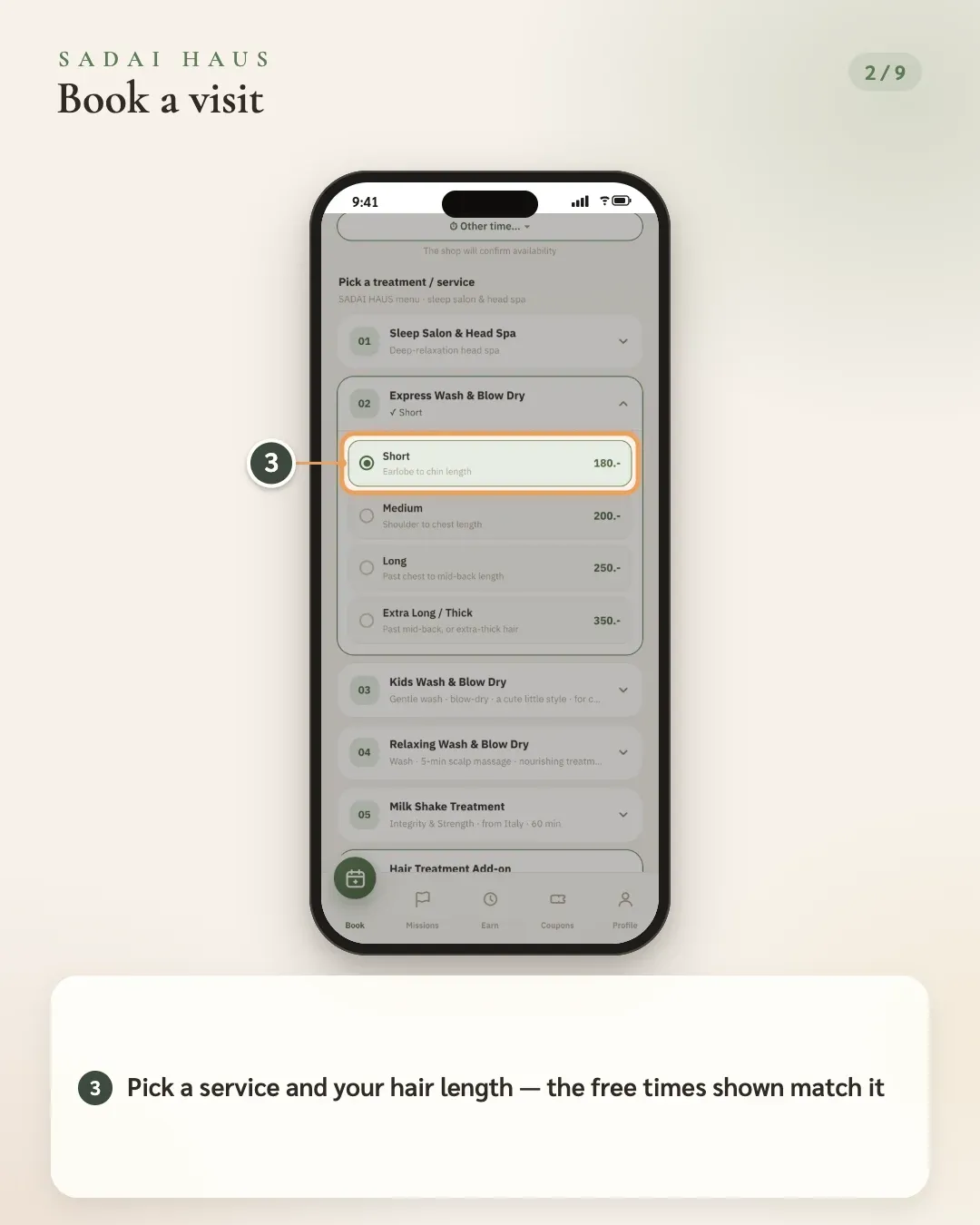
- 3. Pick a service and your hair length — the free times shown match it
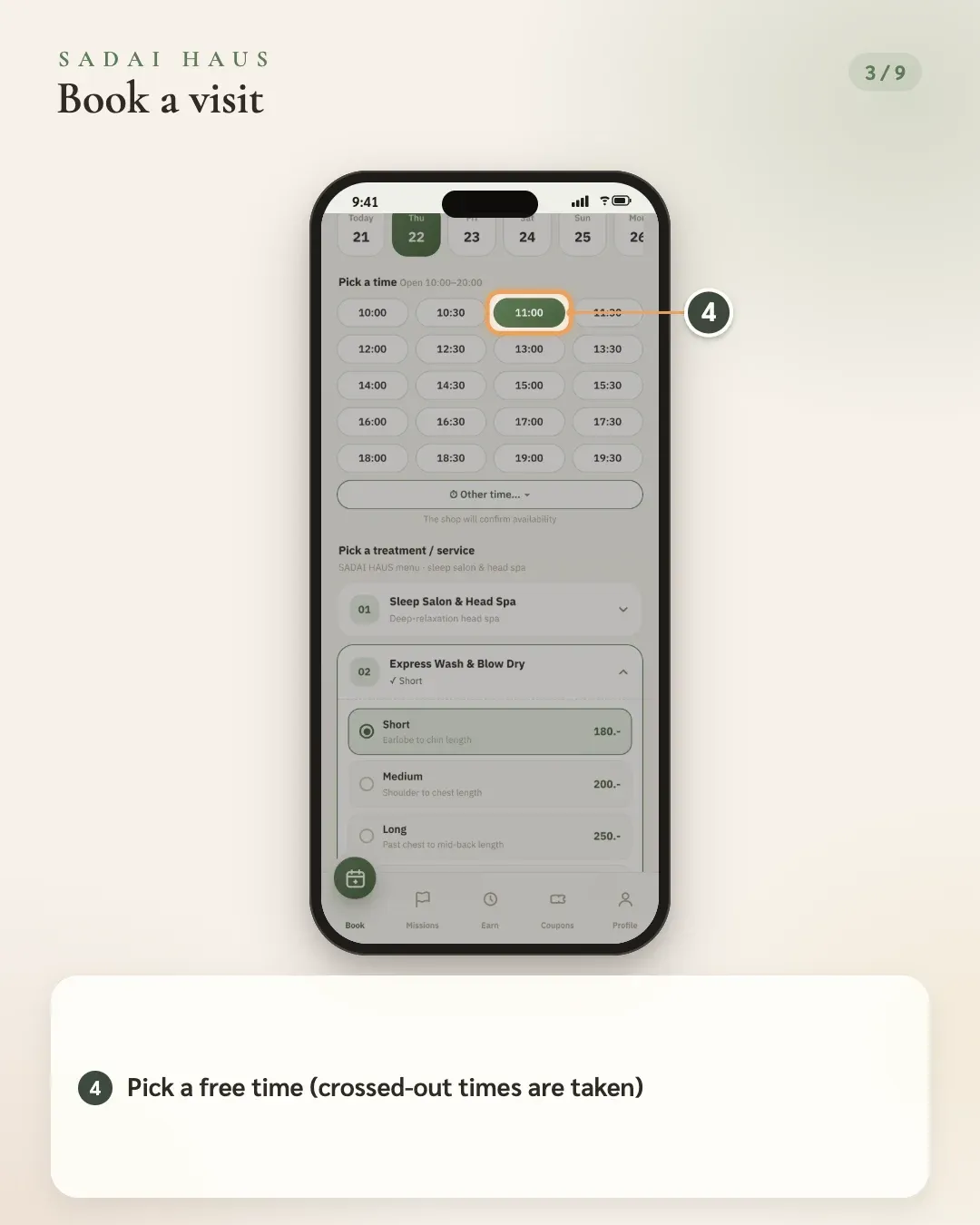
- 4. Pick a free time (crossed-out times are taken)
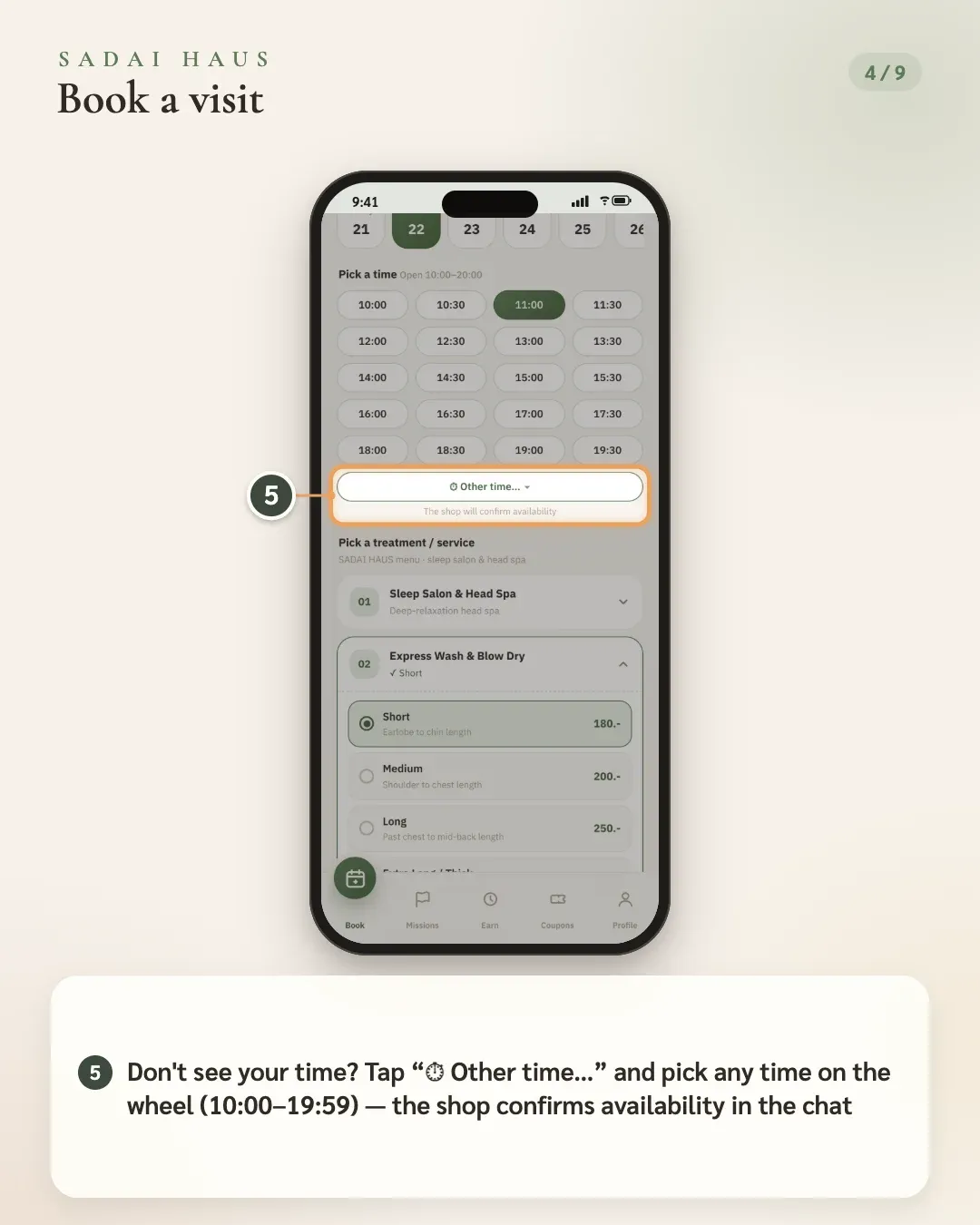
- 5. Don't see your time? Tap “⏱ Other time…” and pick any time on the wheel (10:00–19:59) — the shop confirms availability in the chat
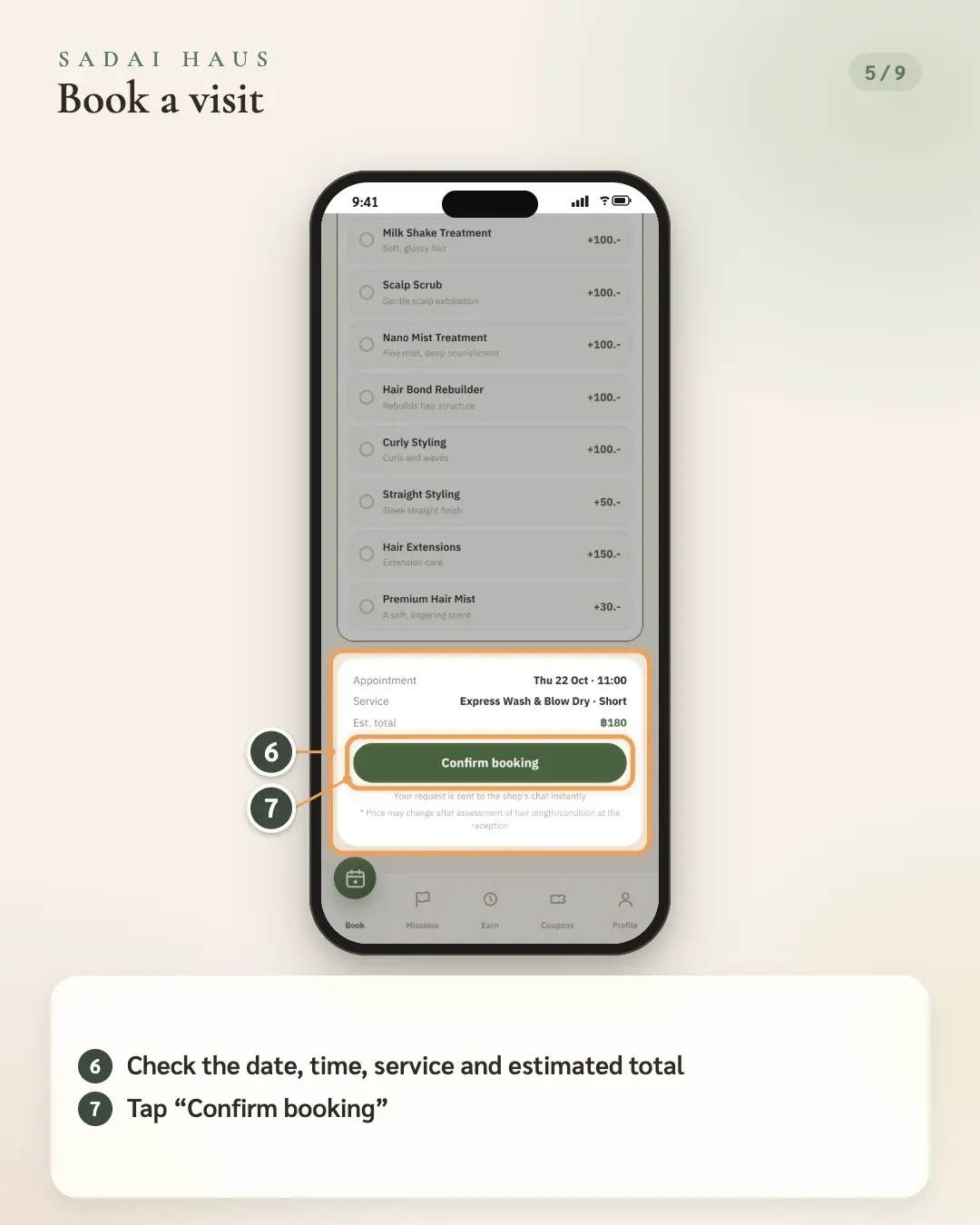
- 6. Check the date, time, service and estimated total
- 7. Tap “Confirm booking”
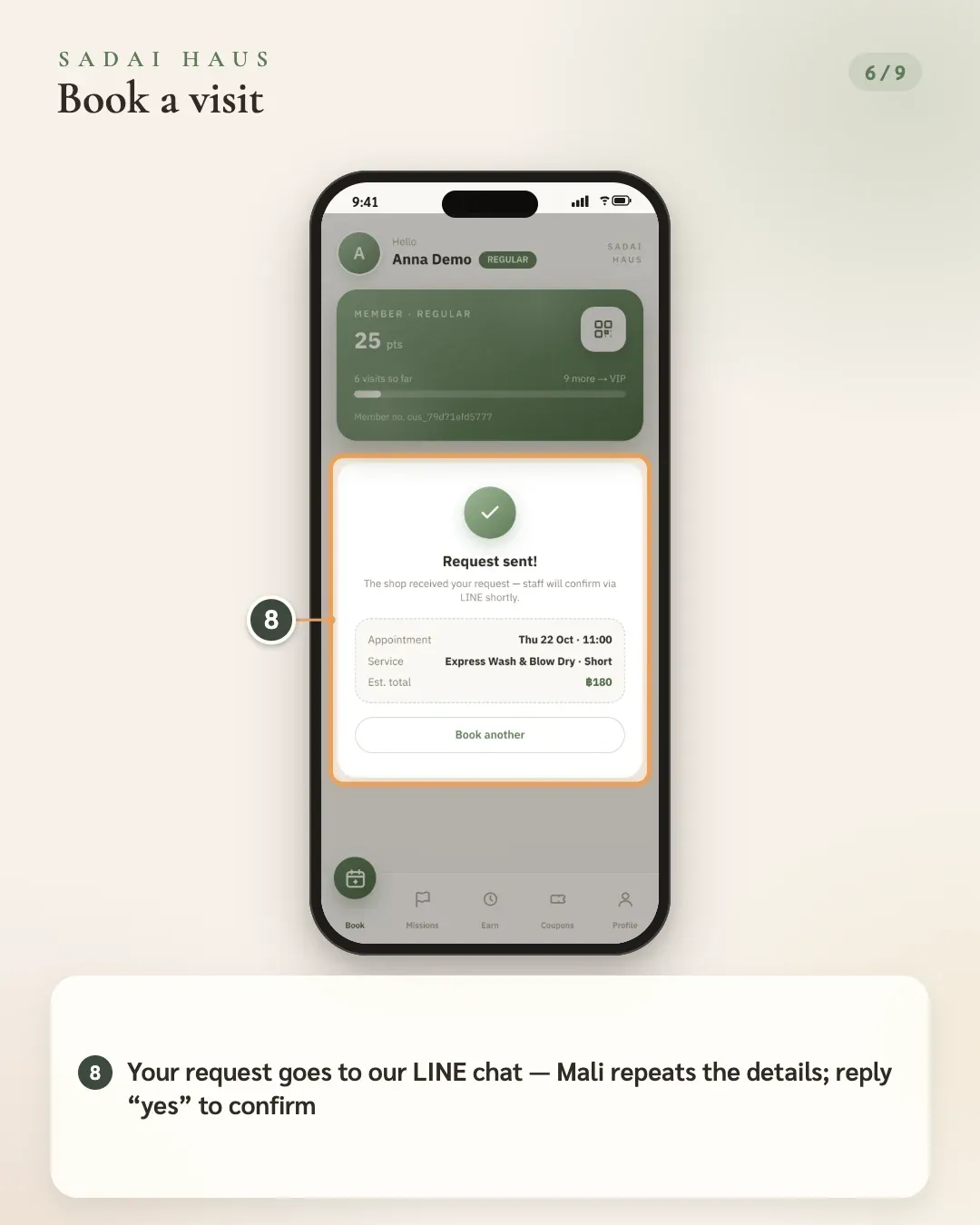
- 8. Your request goes to our LINE chat — Mali repeats the details; reply “yes” to confirm
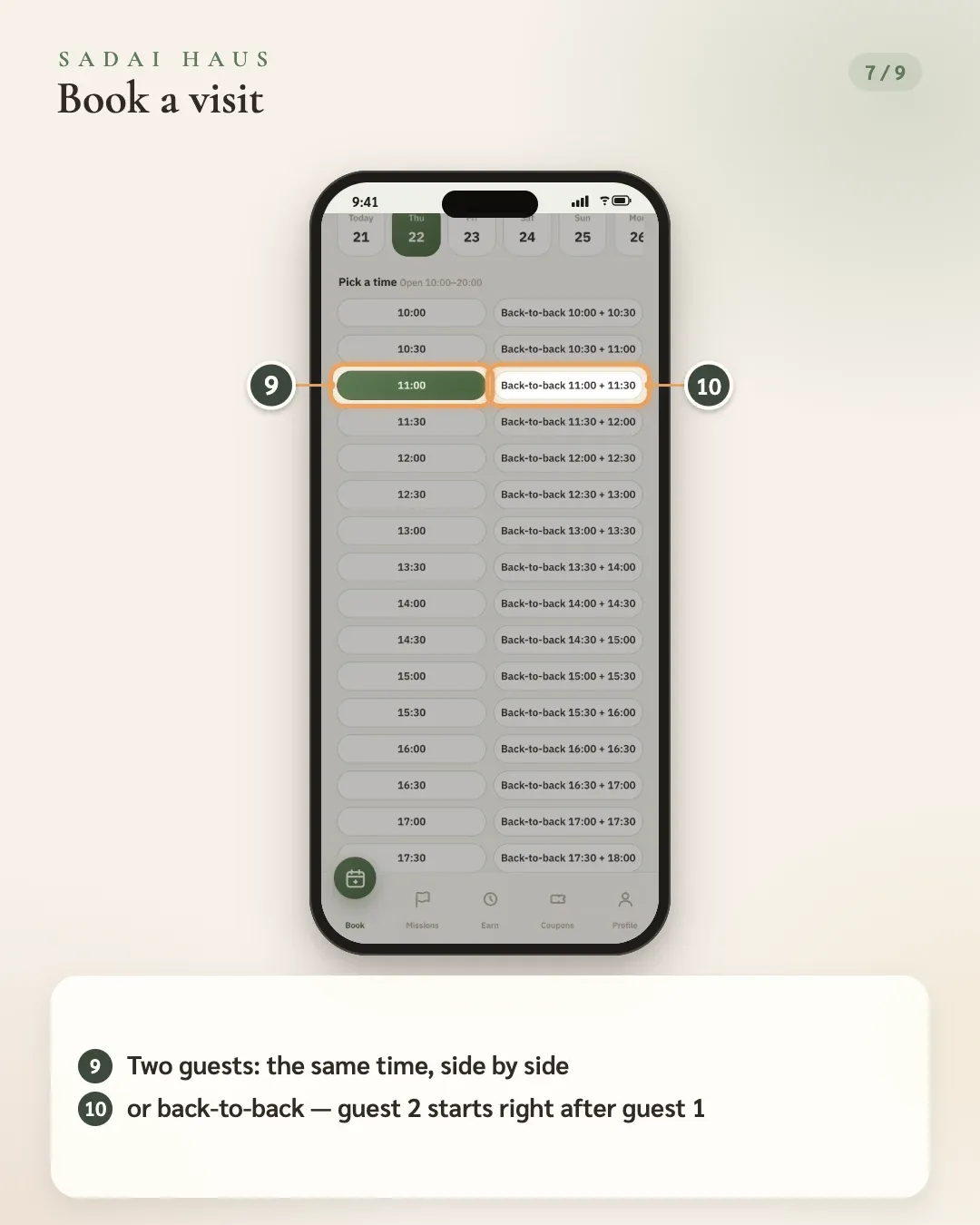
- 9. Two guests: the same time, side by side
- 10. or back-to-back — guest 2 starts right after guest 1
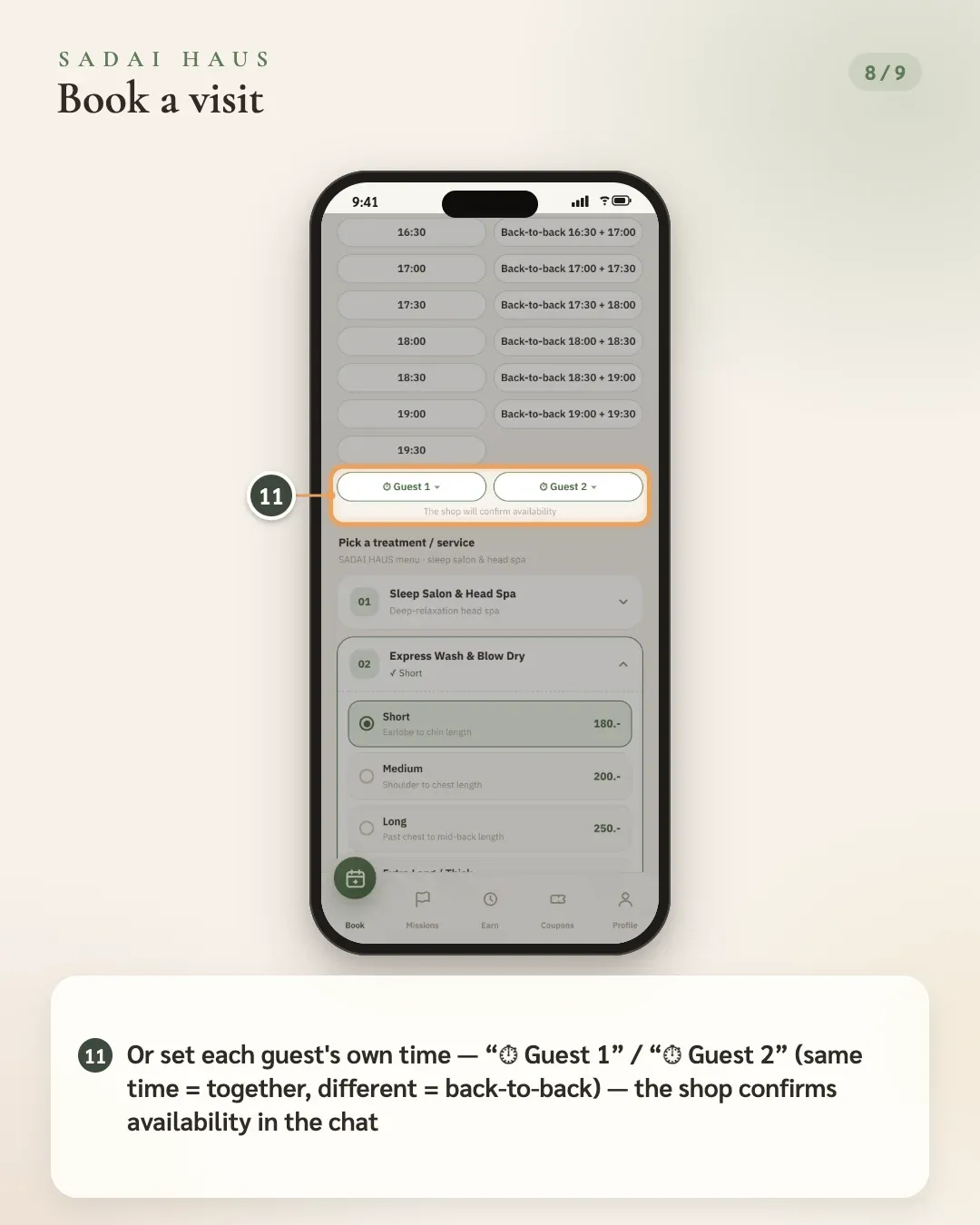
- 11. Or set each guest's own time — “⏱ Guest 1” / “⏱ Guest 2” (same time = together, different = back-to-back) — the shop confirms availability in the chat
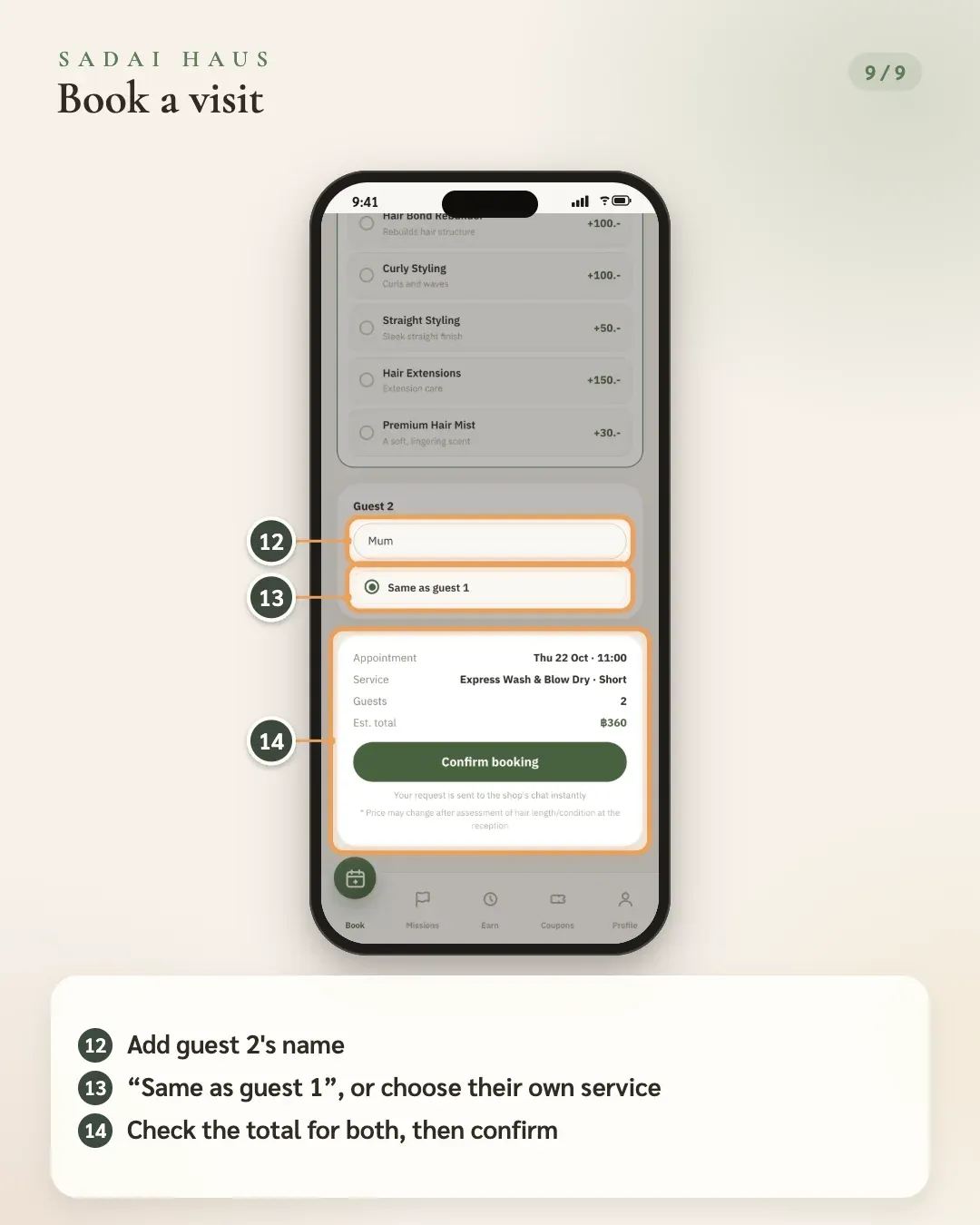
- 12. Add guest 2's name
- 13. “Same as guest 1”, or choose their own service
- 14. Check the total for both, then confirm
03Book again from history
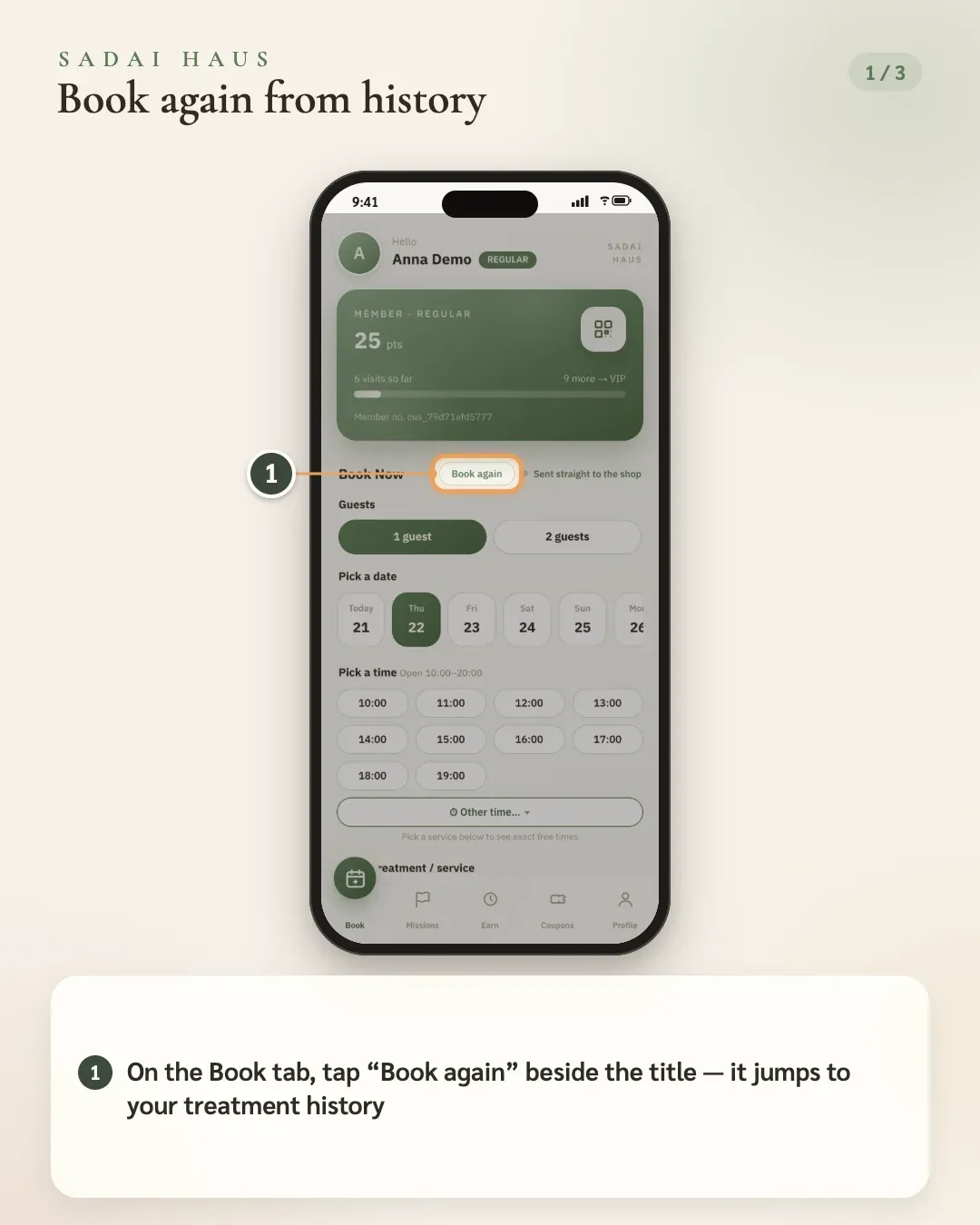
- 1. On the Book tab, tap “Book again” beside the title — it jumps to your treatment history
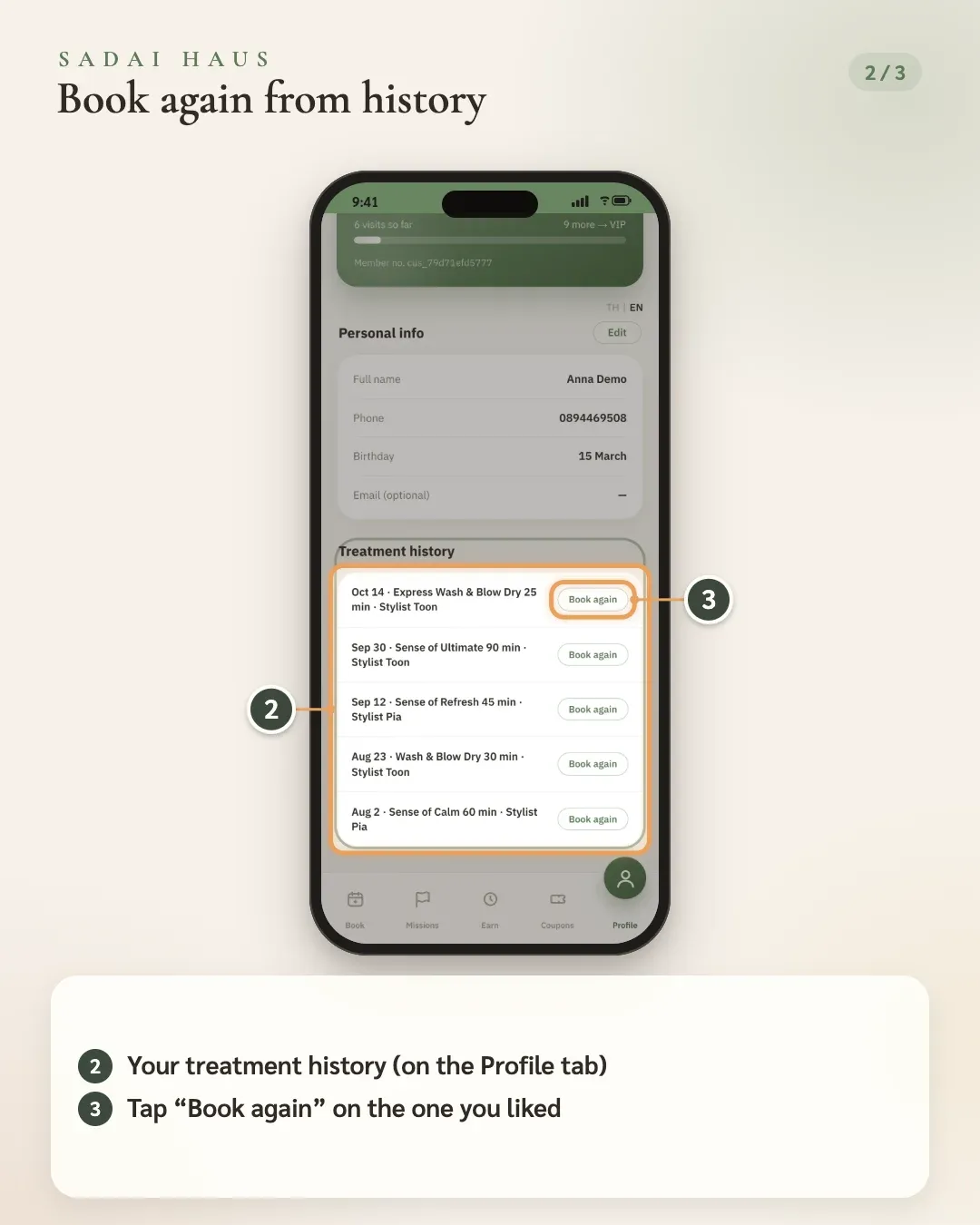
- 2. Your treatment history (on the Profile tab)
- 3. Tap “Book again” on the one you liked
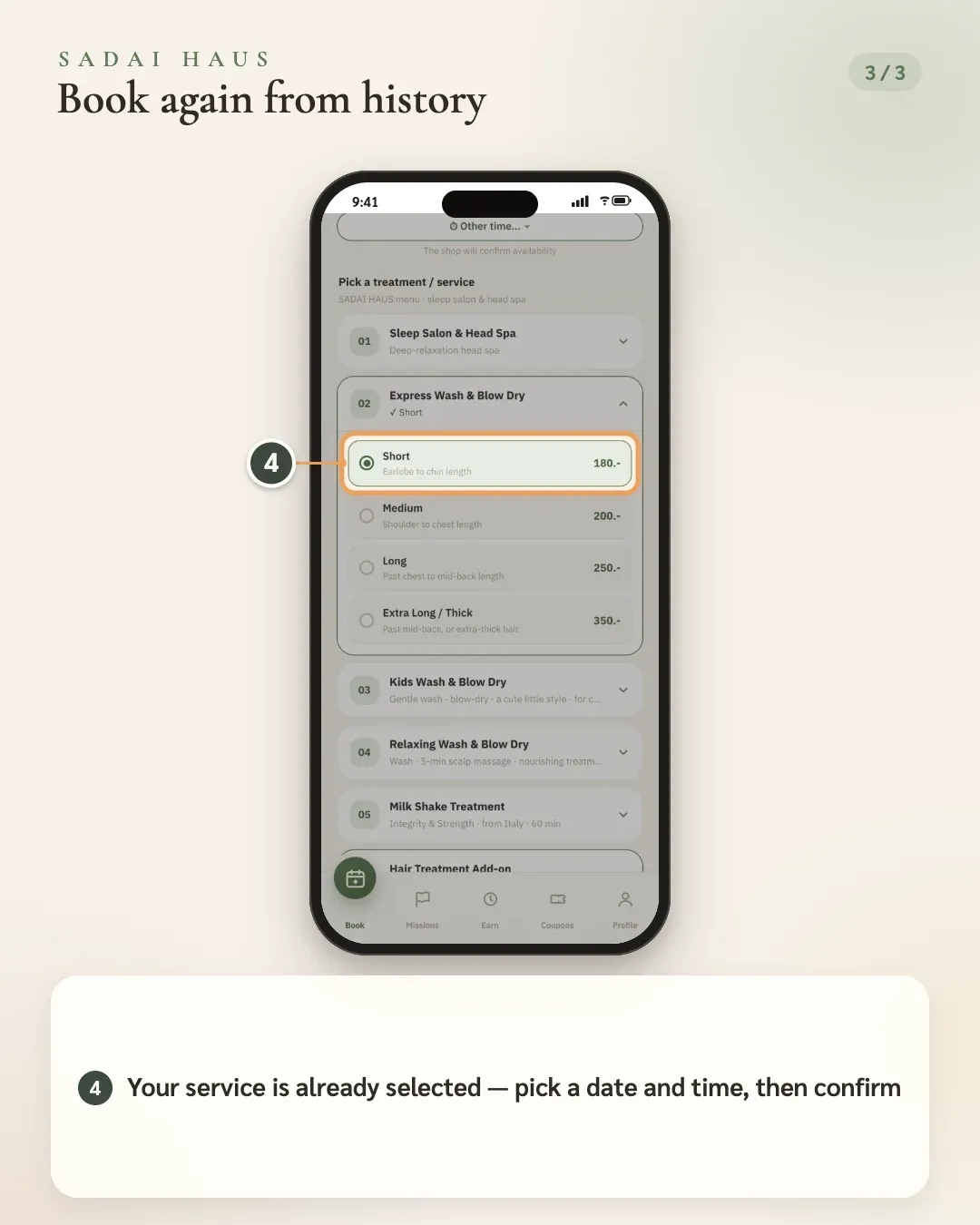
- 4. Your service is already selected — pick a date and time, then confirm
04Member card & points
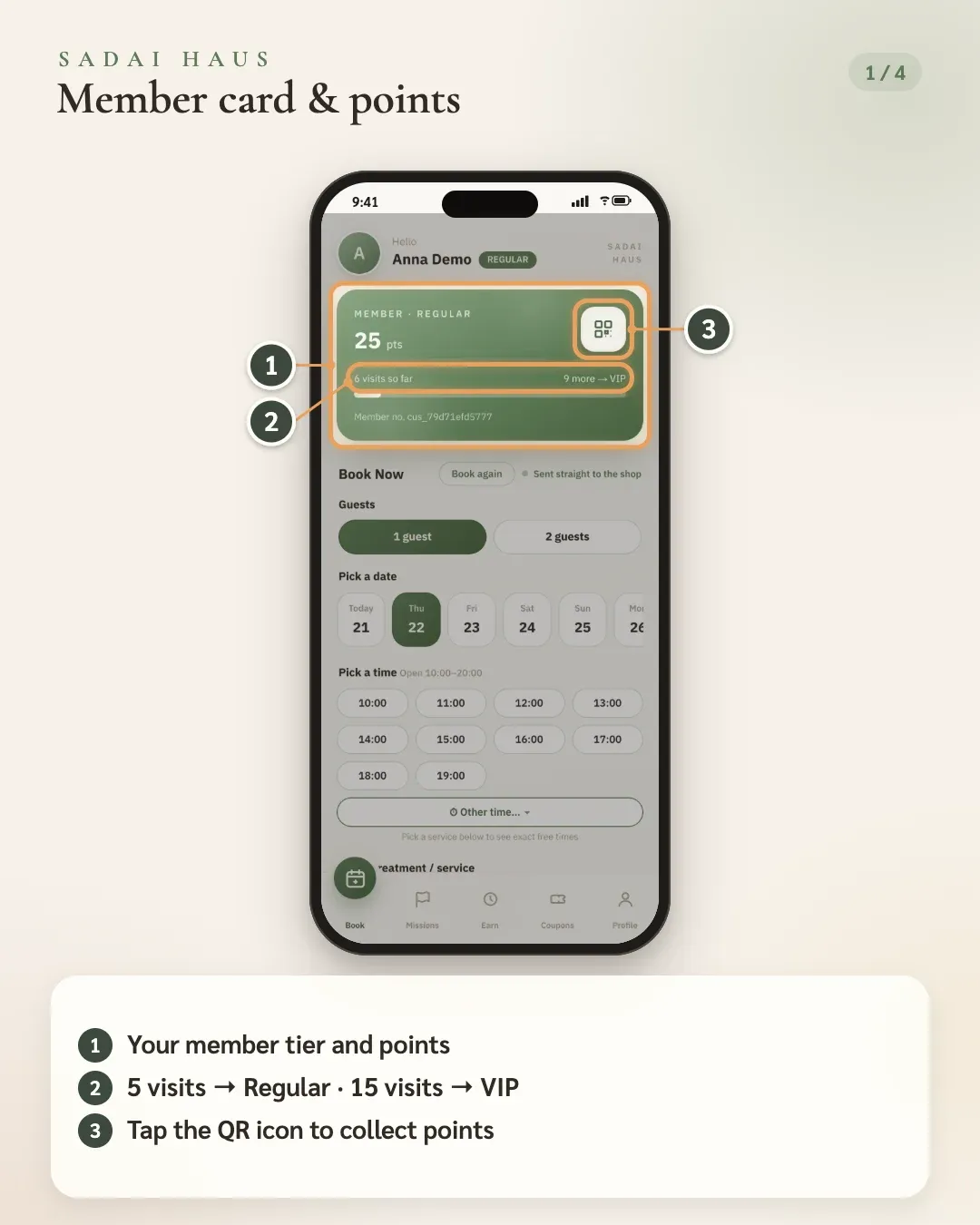
- 1. Your member tier and points
- 2. 5 visits → Regular · 15 visits → VIP
- 3. Tap the QR icon to collect points
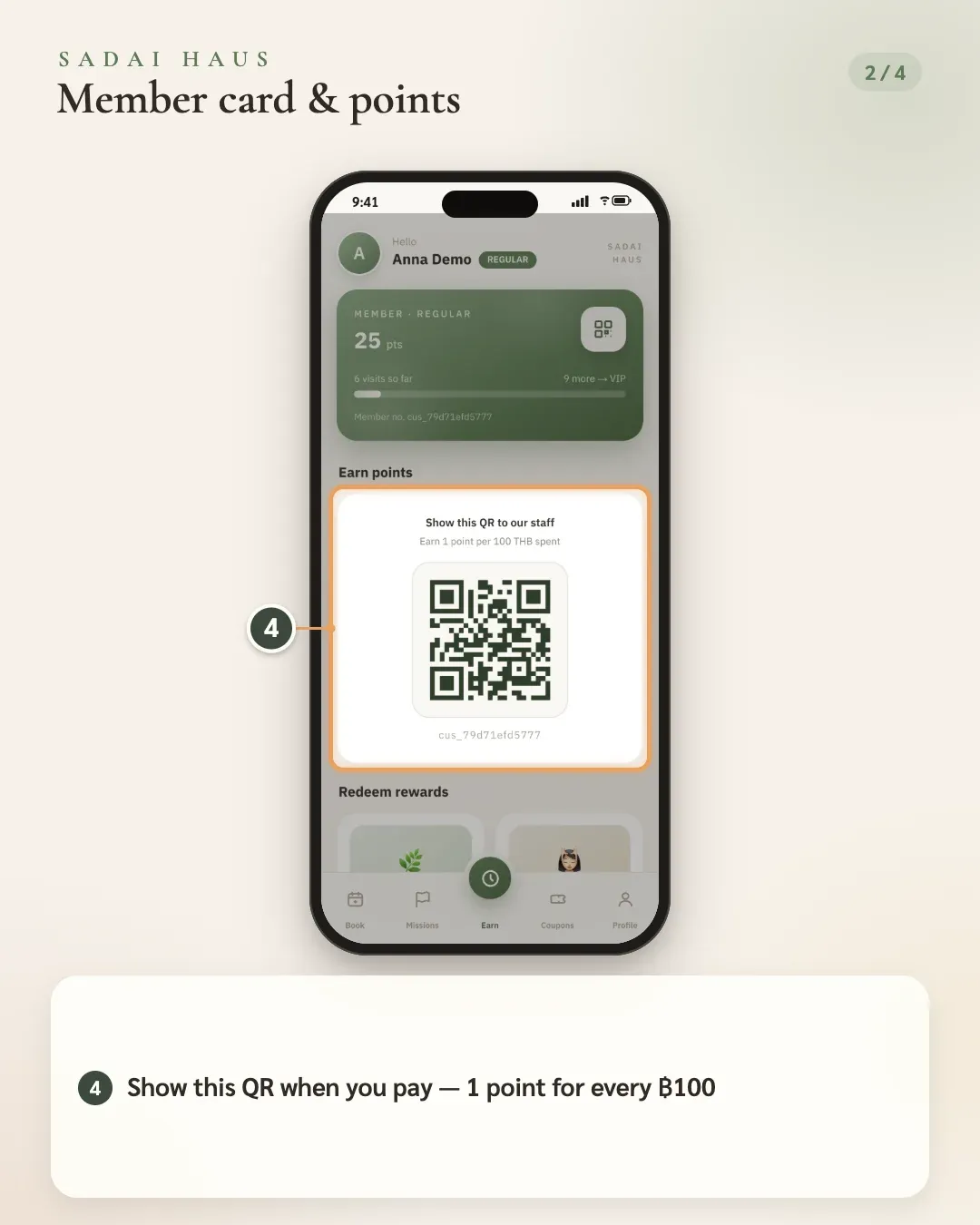
- 4. Show this QR when you pay — 1 point for every ฿100
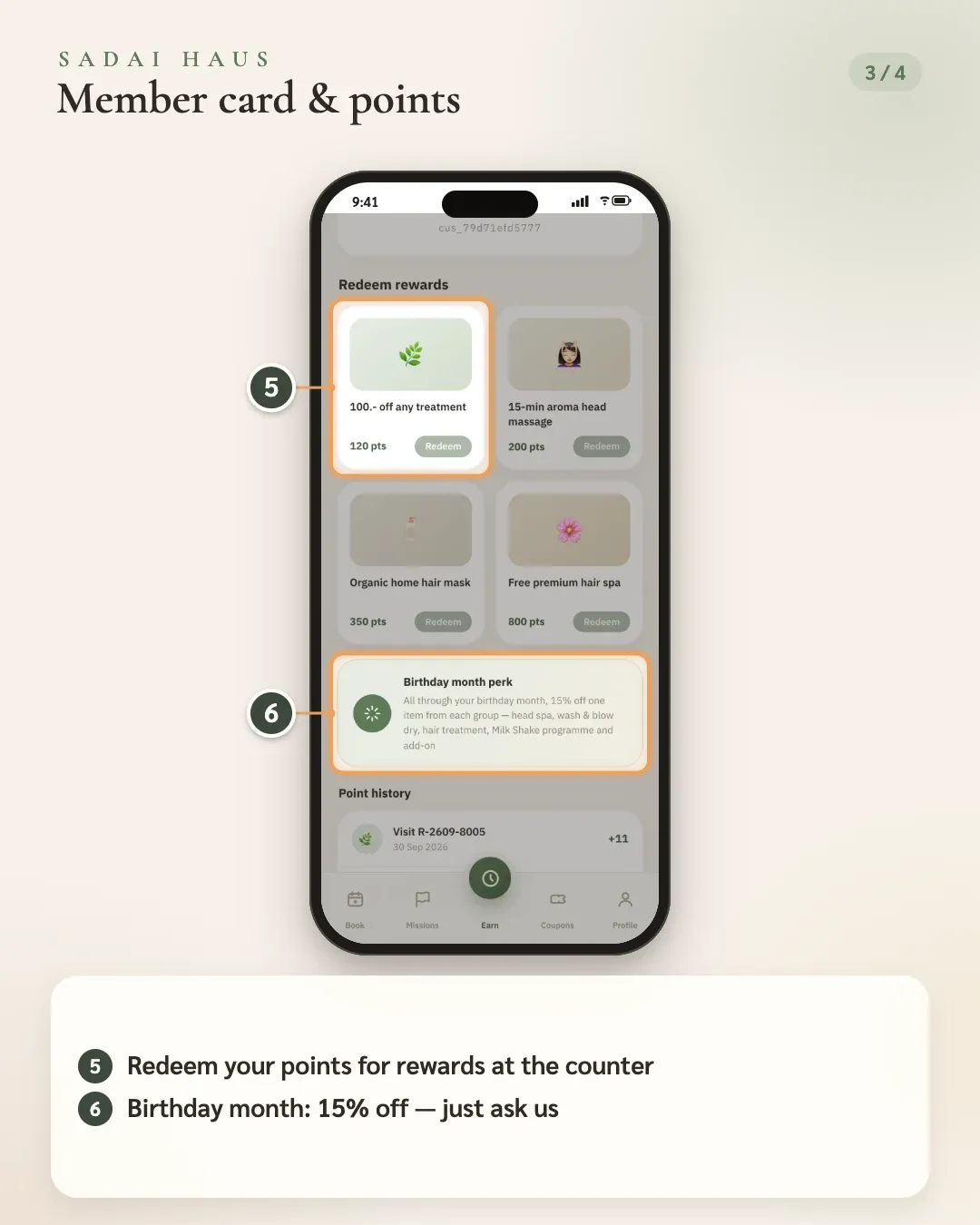
- 5. Redeem your points for rewards at the counter
- 6. Birthday month: 15% off — just ask us
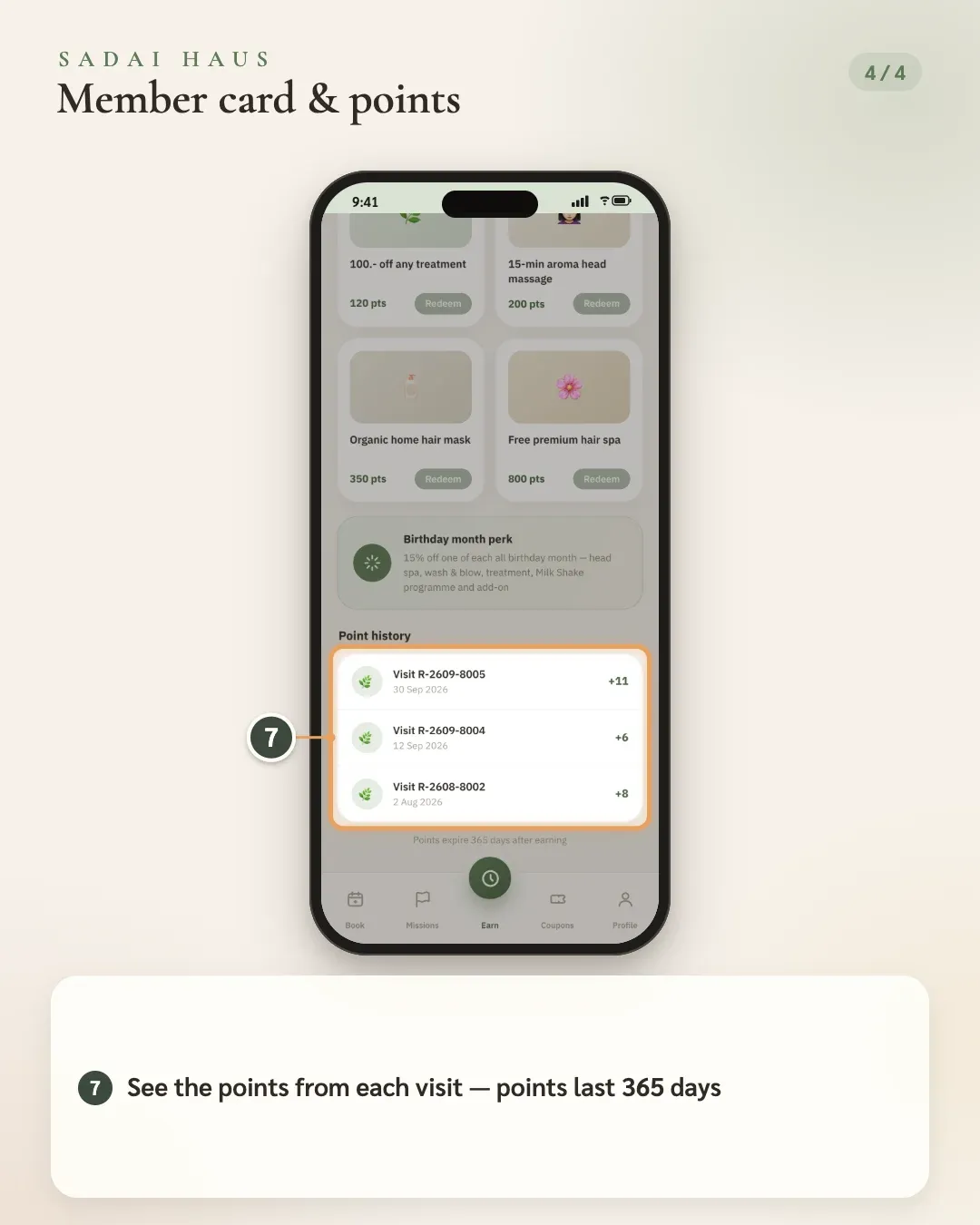
- 7. See the points from each visit — points last 365 days
05Your profile
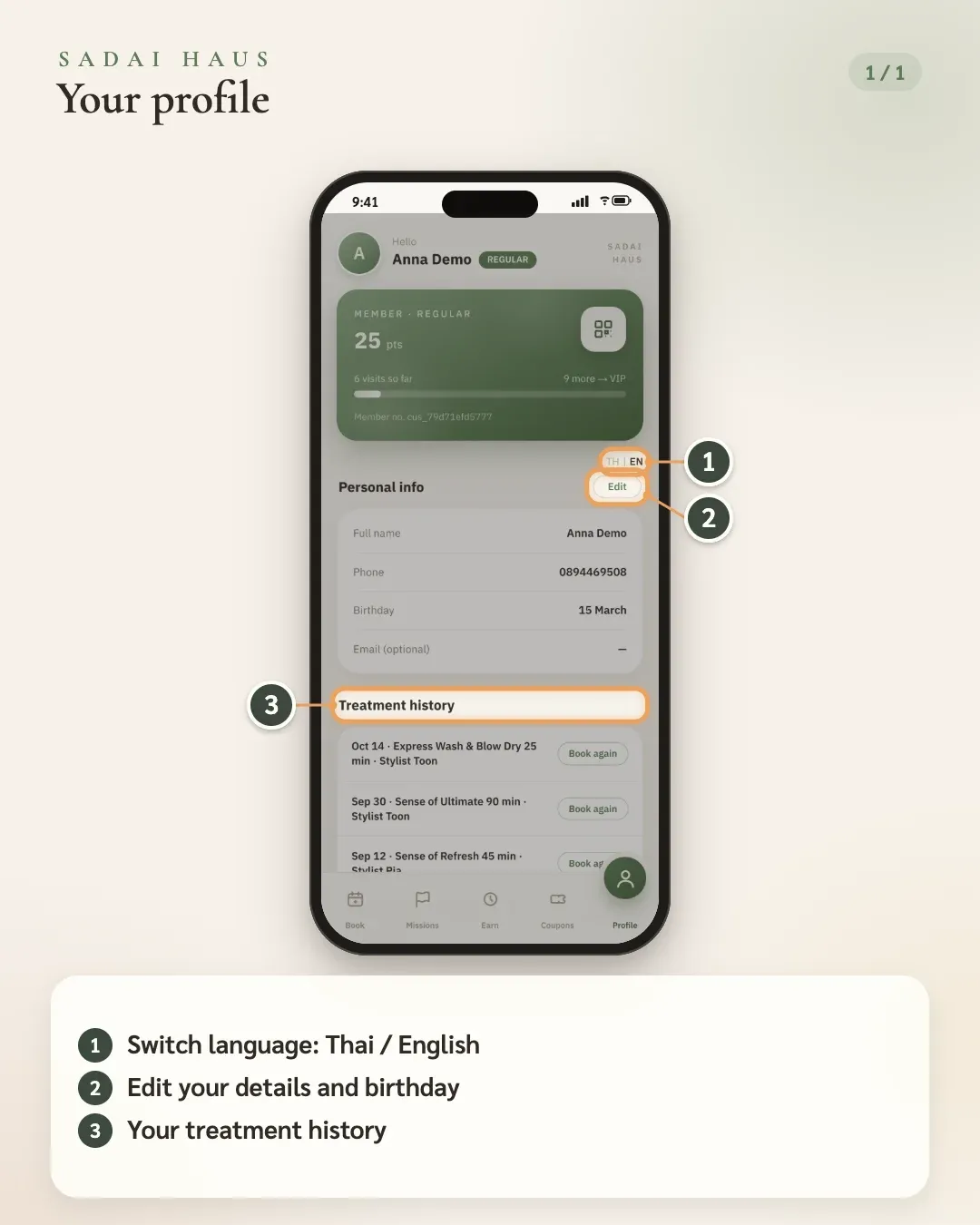
- 1. Switch language: Thai / English
- 2. Edit your details and birthday
- 3. Your treatment history
06Reschedule or cancel
Just tell Mali in the LINE chat. She reads your booking back and asks you to confirm first — reply “yes” and the move or cancellation is done.
- “Can I move it to 15:00?”
- “I need to cancel my booking”
Screenshots for this step are coming soon
Questions about the card? Message Mali on LINE any time.
Screens are from the salon's test system — the name, number and details shown are examples